Braid - Web App Design
Org
Braid
My Role
UX Designer/Researcher
Timeline
3 months
Team
Product Strategist
Software Engineers
TL; DR
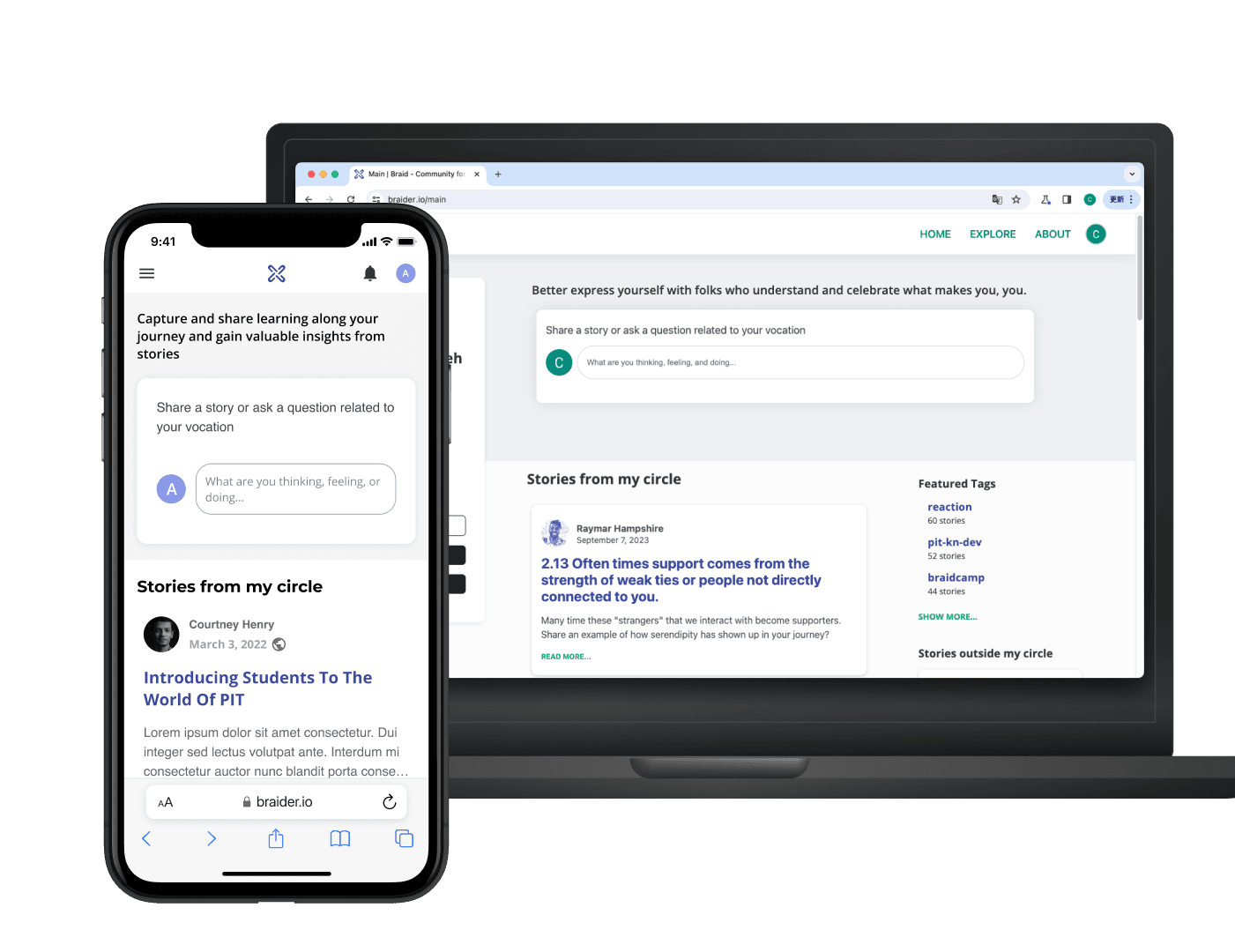
I designed and developed Braid, a social platform, taking it from 0.5 to 1. Braid is a social platform to share authentic stories and knowledge through narrative storytelling.
Challenge:
How might we empower users to share their personal stories as valuable knowledge for others to gain from?
Short-term Product Goal:
Deliver essential table stake features, like a notification system, while also innovating to create unique differentiators.
About Braid
Social media platform focusing on life experience sharing and storytelling
Braid aims to make a place where people can talk and get better at their careers and life without pressure of perfection or excessive self-promotion.

Share personal experiences
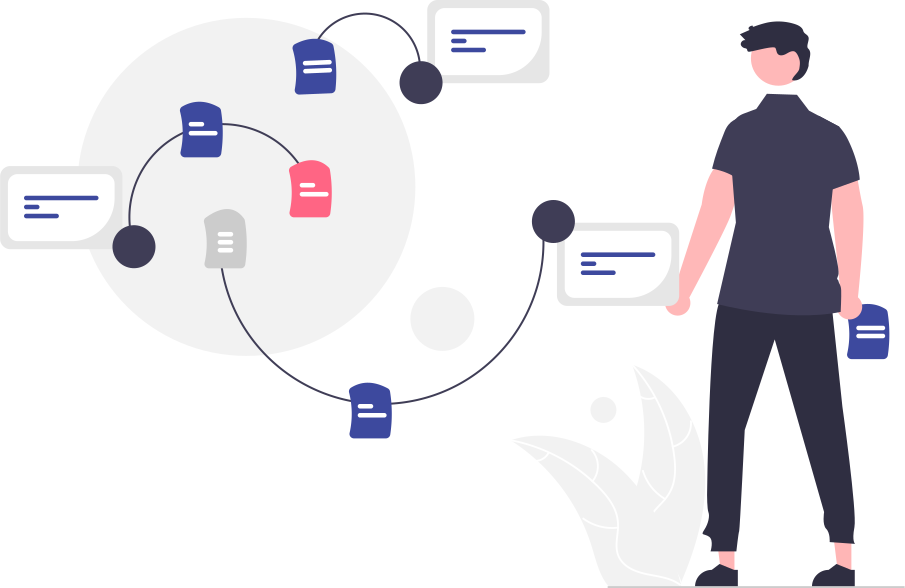
Uncover hidden knowledge

Grow in careers and lives
Product Development Progress
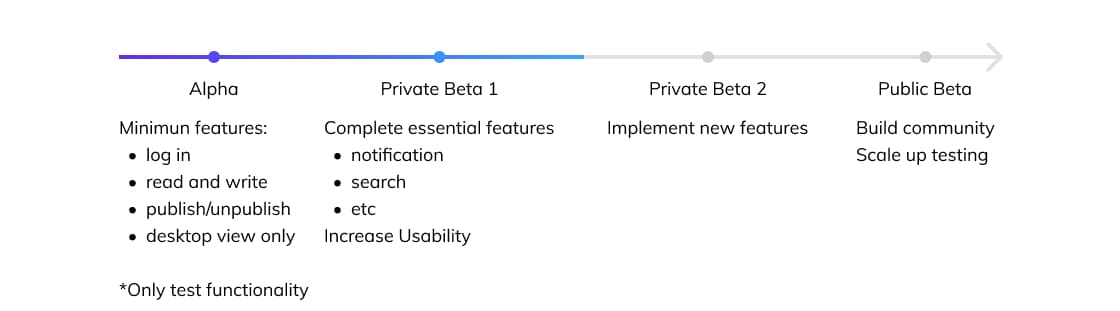
Problem Identification
Let's breakdown the story creation process:
1. Willingness to share:
Limited trust in Braid leads to low willingness to share
Insights:
1: Users find the landing page lacking in comprehensive information regarding usage and features, leading to uncertainty about its trustworthiness.
2: Users want a safe space where they can be vulnerable, and they anticipate enhanced privacy on Braid.
2. Writing:
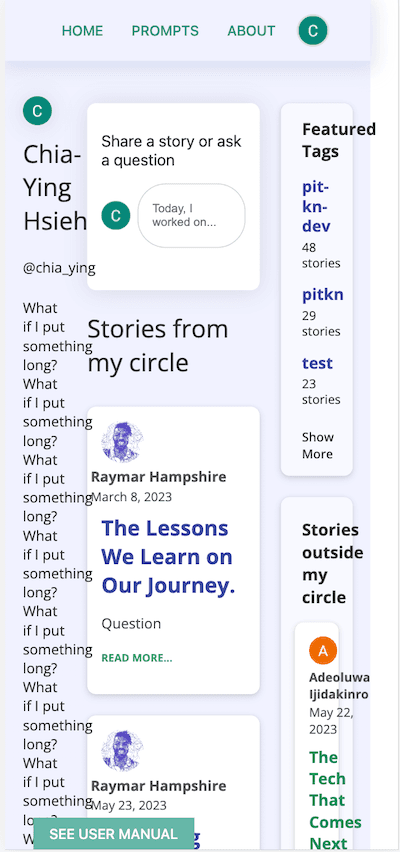
Website not adjusting for phones makes it hard for mobile users.
When developers built the MVP, they prioritized the desktop view. However, as the user base grew, the broken mobile screens deterred users, leading to loss of engagement and potential users.
3. Sharing:
Scattered discussions and lengthy story threads make it difficult to share knowledge cohesively.
Insights:
1: A story thread can become lengthy, making it difficult to navigate and read.
2. Stories discussing similar topics may be scattered, it's hard to collect them and make it organized.
Solutions
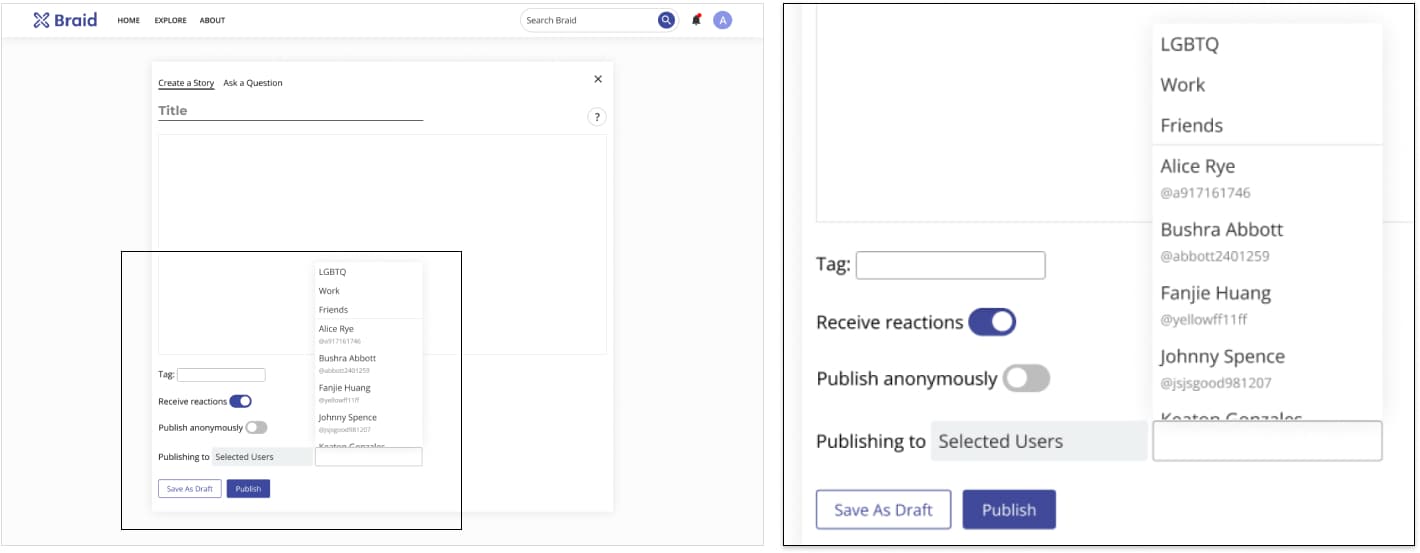
Add post sharing privacy settings
In the earlier Braid version, users could only share their stories with the Braid community, and there were no other choices. So, I added various sharing options to make it easier for users to share their personal journeys in a way that they feel comfortable.
⚠️ Before
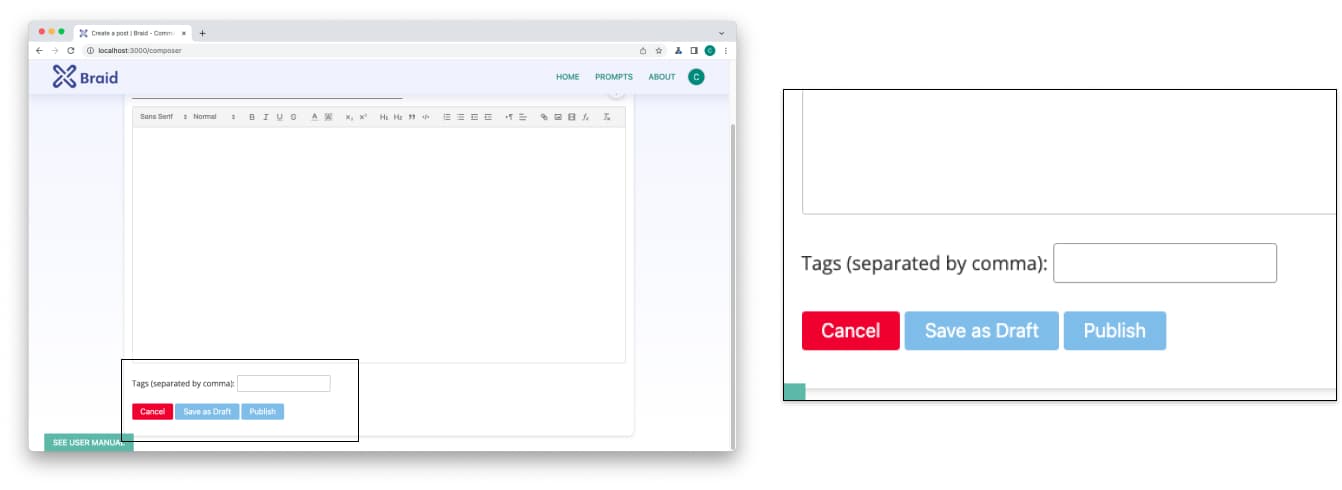
💡 After
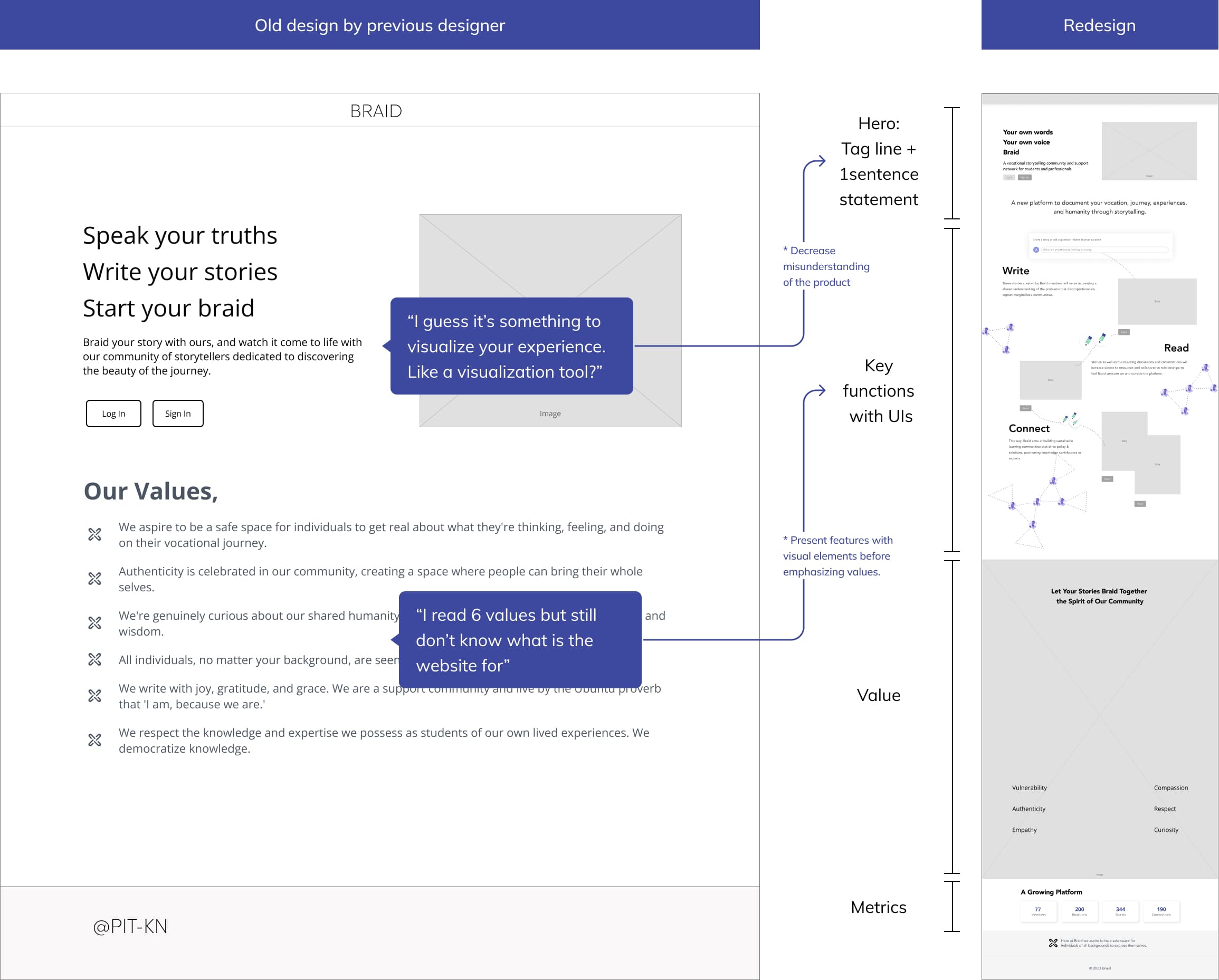
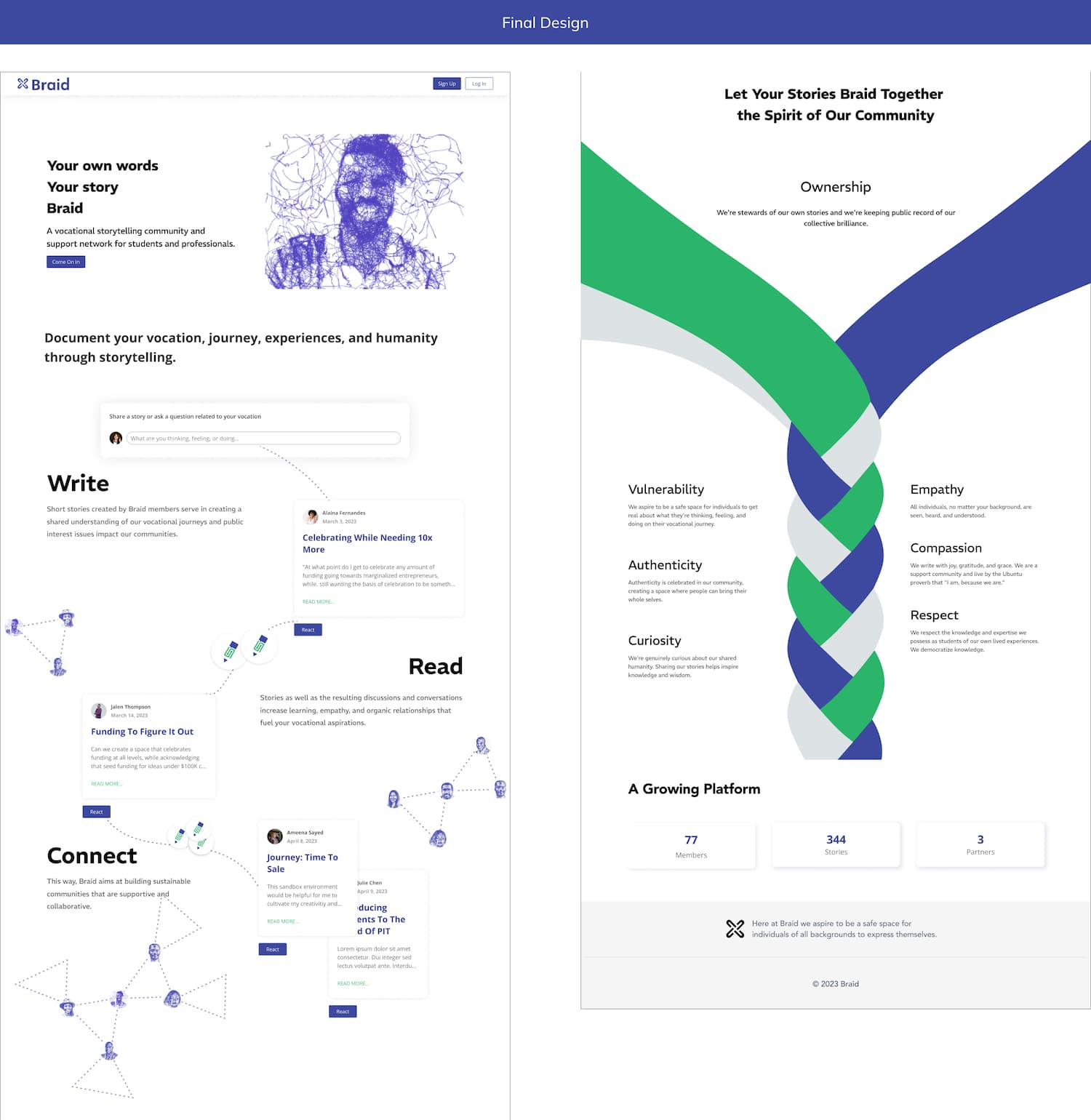
Redesign the home page to provide clear explanations of functionality rather than emphasizing mission statements
I included a clear message explaining Braid as a product and incorporated UI screenshots to give users a preview before they decide to get involved
Responsive Design
In the earlier Braid version, users could only share their stories with the Braid community, and there were no other choices. So, I added various sharing options to make it easier for users to share their personal journeys in a way that they feel comfortable.
⚠️ Before
💡 After
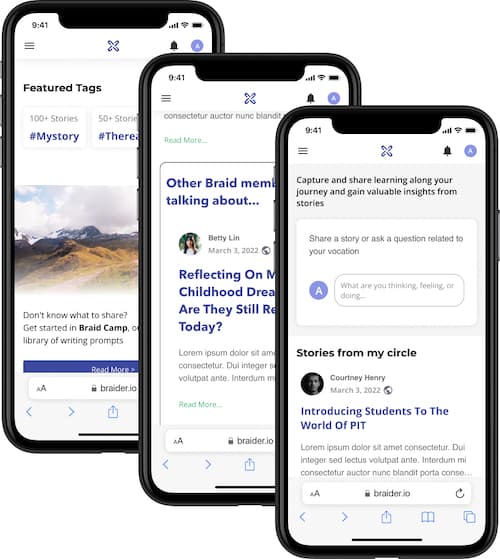
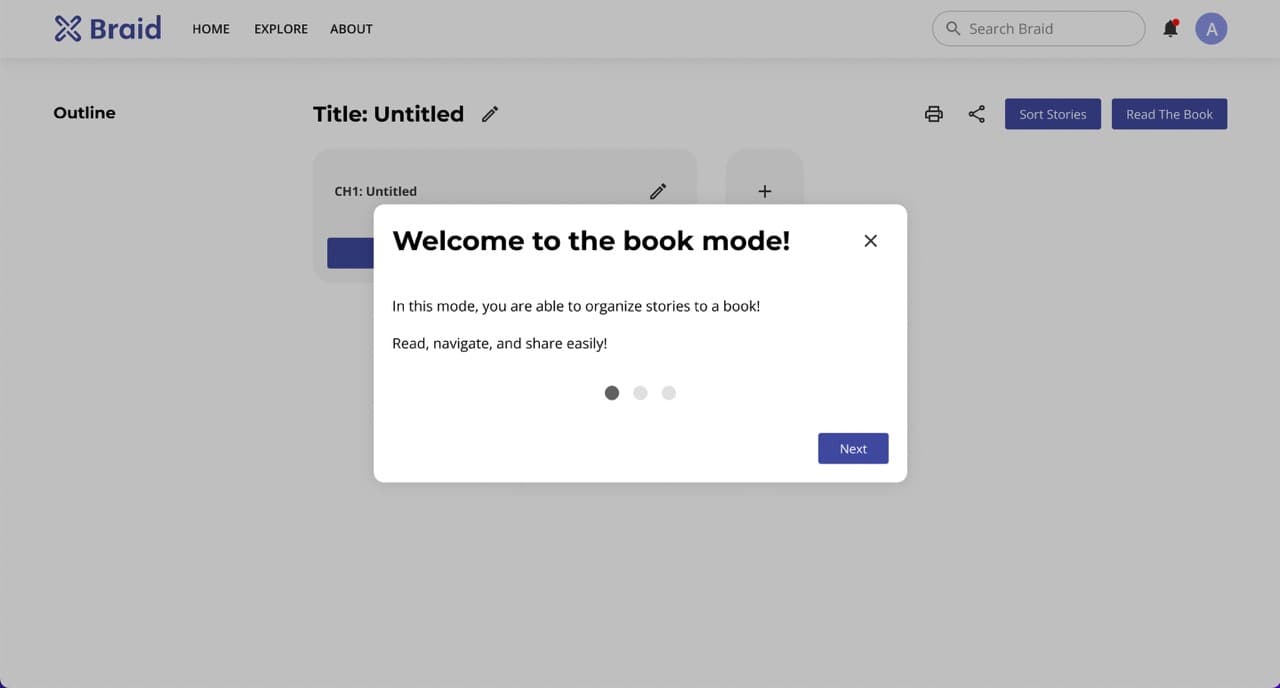
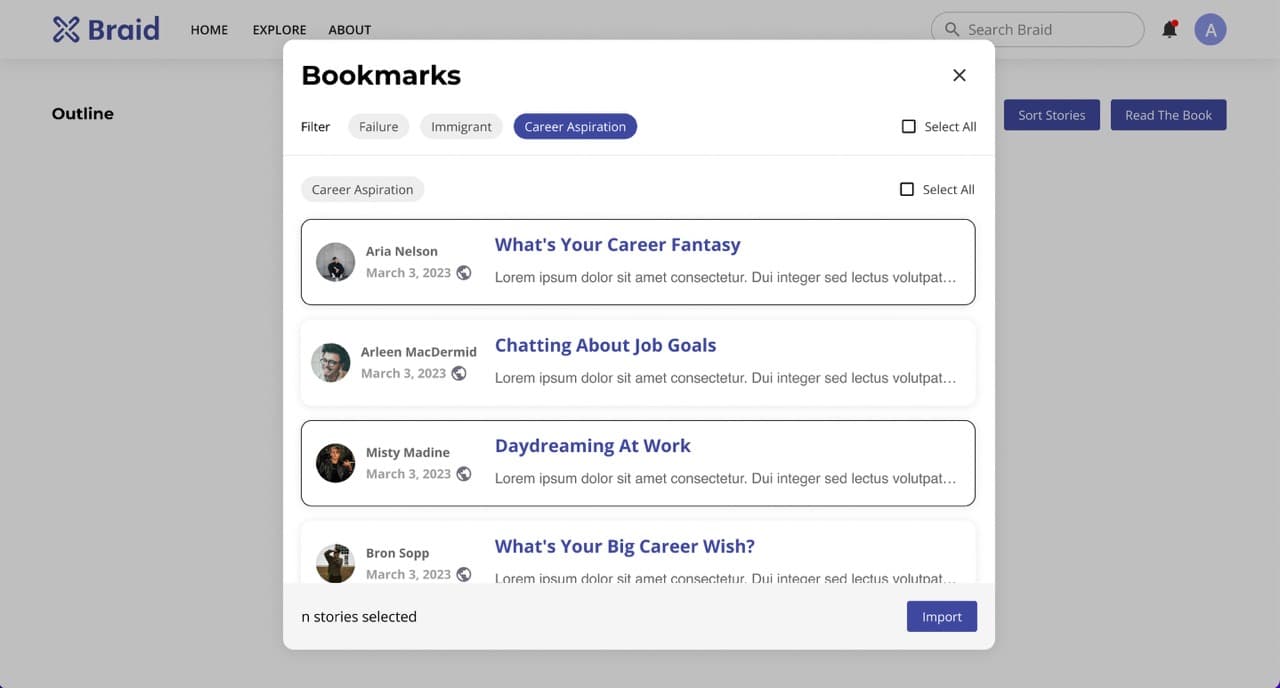
New Feature: Book Mode
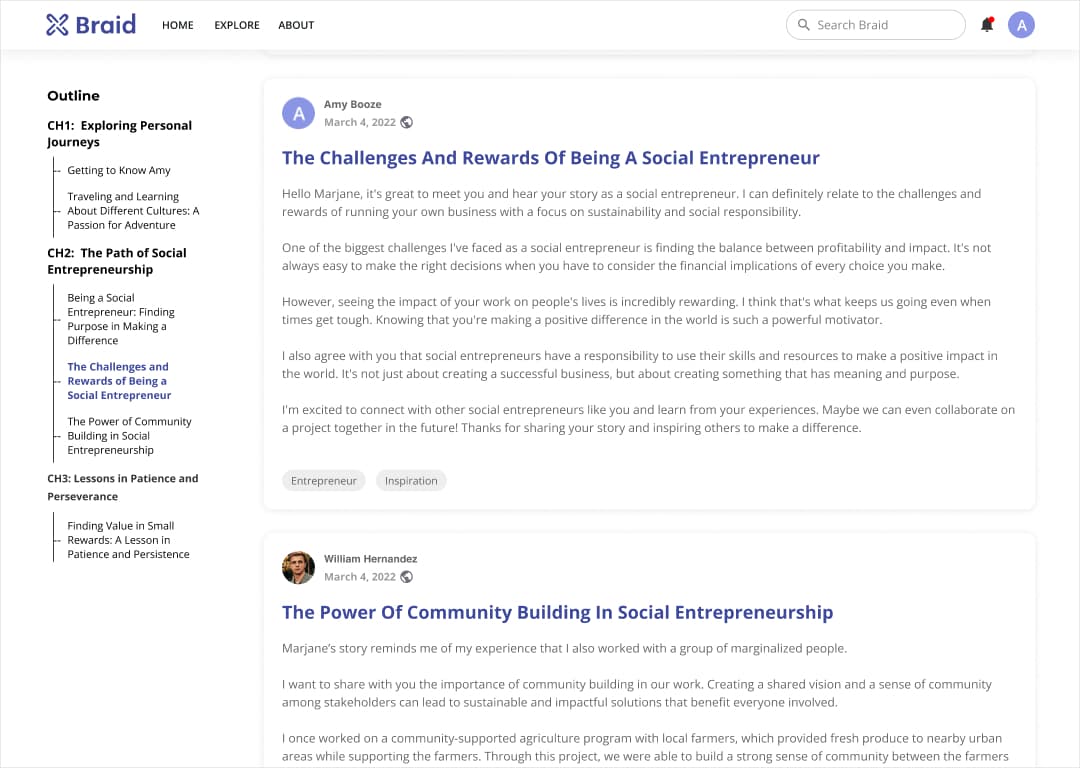
A story thread can become lengthy, and users need a simple way to navigate and read through it.
During my research on other text-based platforms with discussion threads, I noticed a significant number of complaints regarding reading, navigating, and exporting posts.
Design
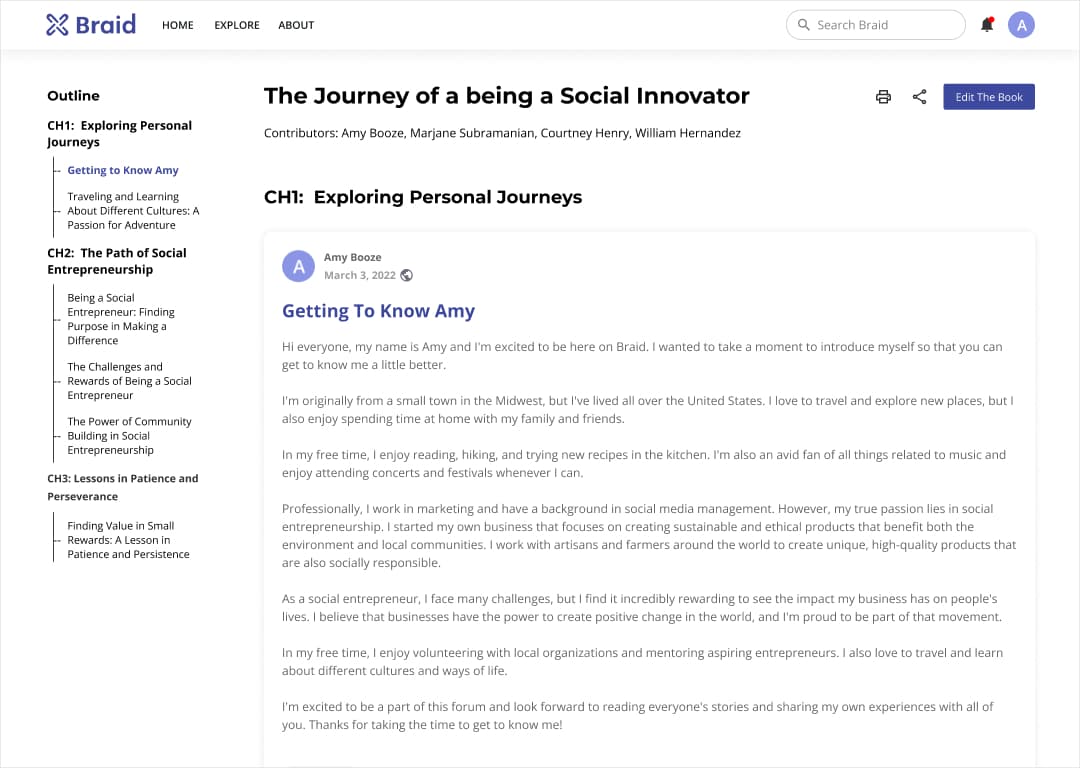
Book mode: an easier way to read, save, and share.
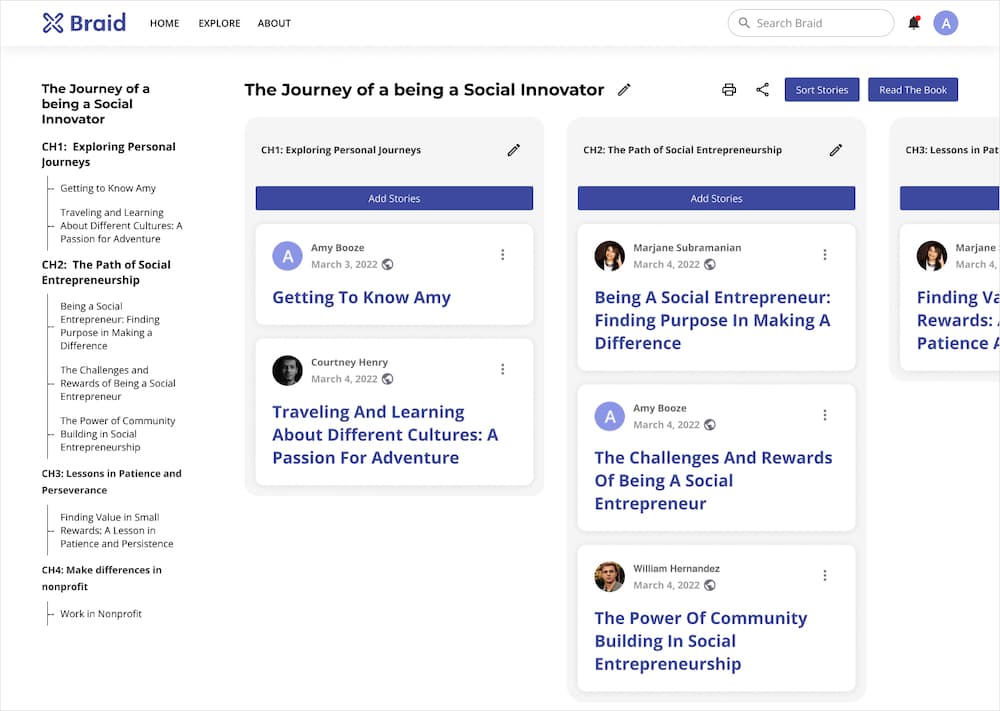
Reorganize stories, unroll a thread, and EXPORT STORIES AS A BOOK
Edit: Users can reorganize a thread bookmarked stories to different chapters.
1. Rearrange the order of stories in a thread based on topic, particularly useful for long threads with divergent conversations, departing from the original chronological order.
2. Group posts of interest on the same topic together, ensuring a more organized and focused reading experience.
Read
Iteration
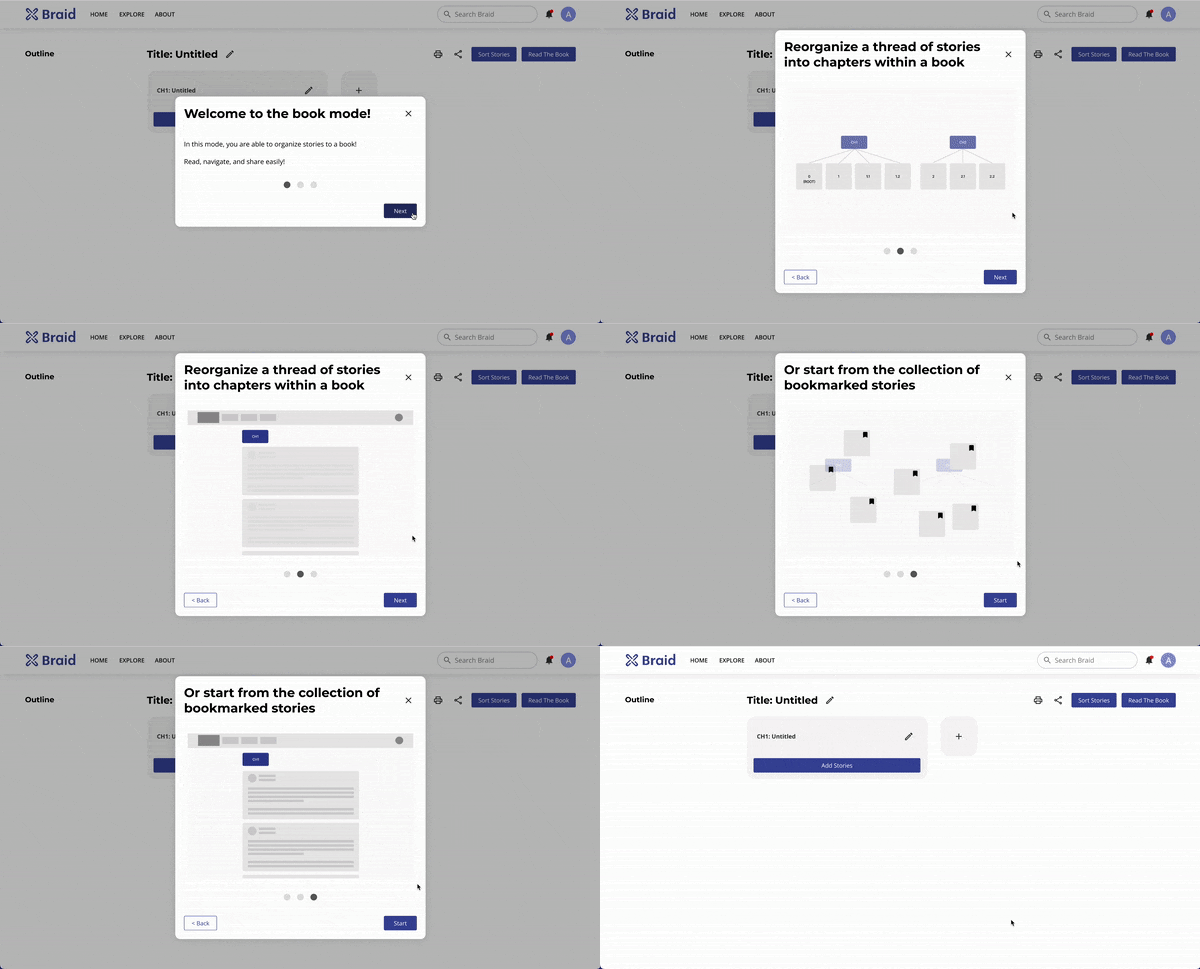
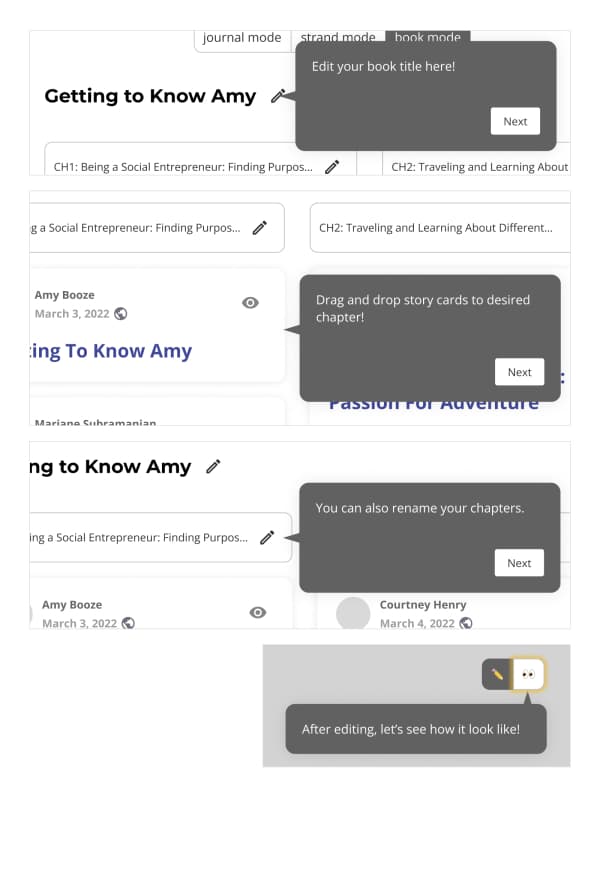
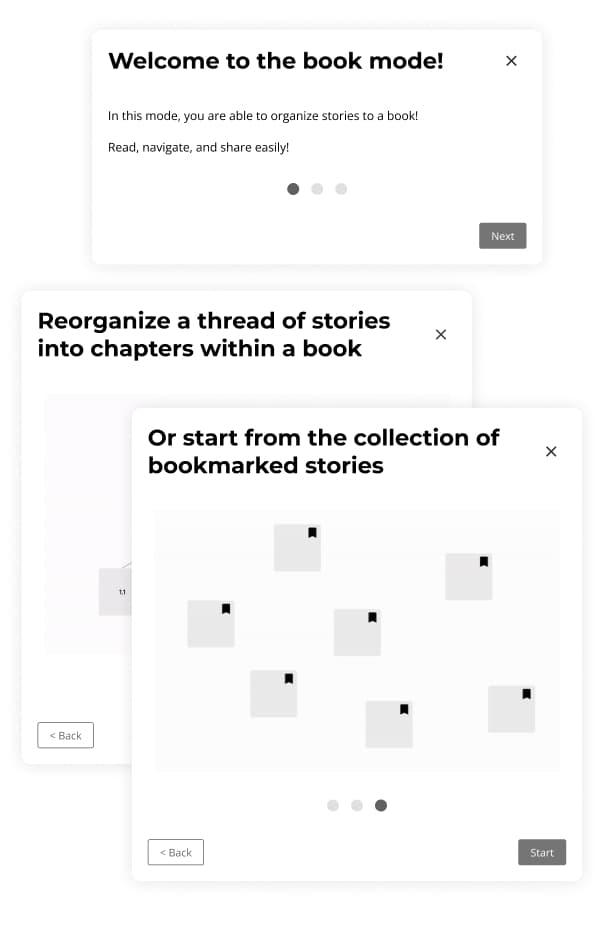
Onboarding: Emphasizing feature purpose over operation guidance
Because it's a completely new feature, I designed an onboarding process to help users understand. However, users were impatient about it.
During usability testing, I found the challenge doesn't stem from users' unfamiliarity with the operational aspects of the feature (such as the function of each button) but rather in their lack of understanding about what the feature is designed to accomplish.
All three participants initially attempted to skip the seemingly lengthy tutorial (without knowing how many steps it included) and conveyed they want to try it by themselves instead of reading instruction, but after modification, both of the two new participants went through the tutorial without skipping.
⚠️ Before: Operation Guidance
❌ Tried to skip
❌ Not knowing how many steps
❌ Wanted to try instead of reading instructions
💡 After: Feature Purpose
✅ Not tried to skip
✅ Fine with 3 steps
✅ Can use the feature without step-by-step tooltips
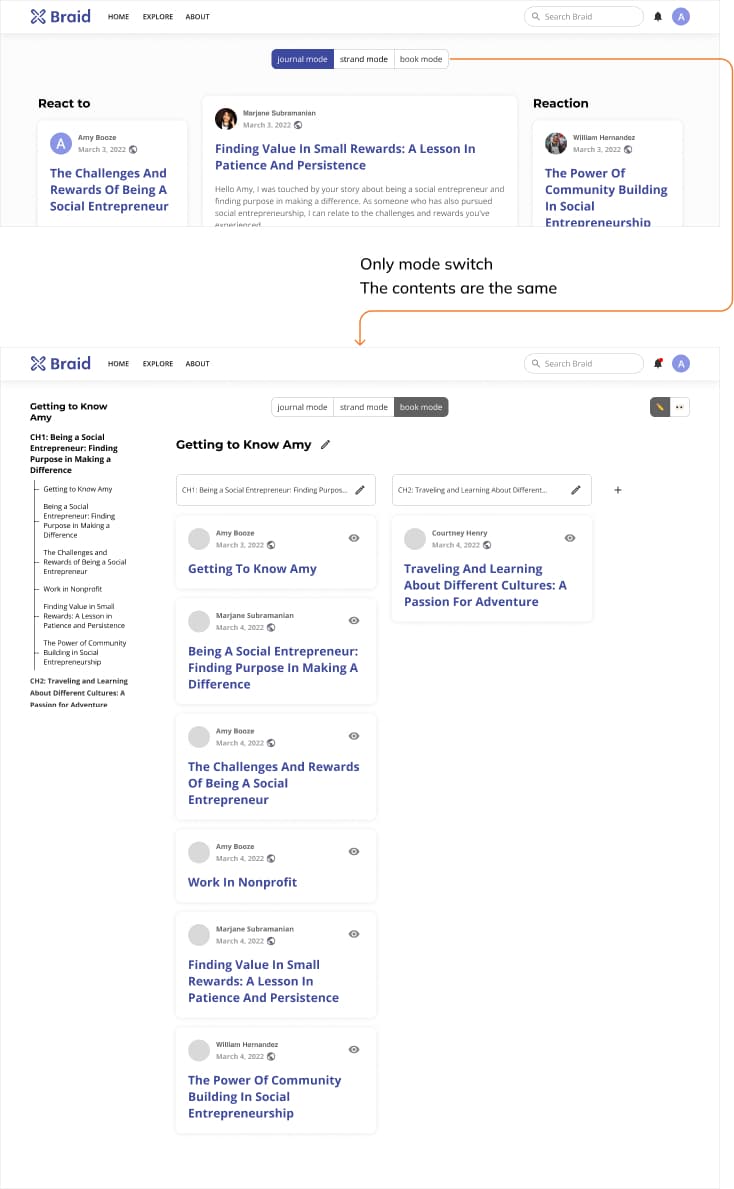
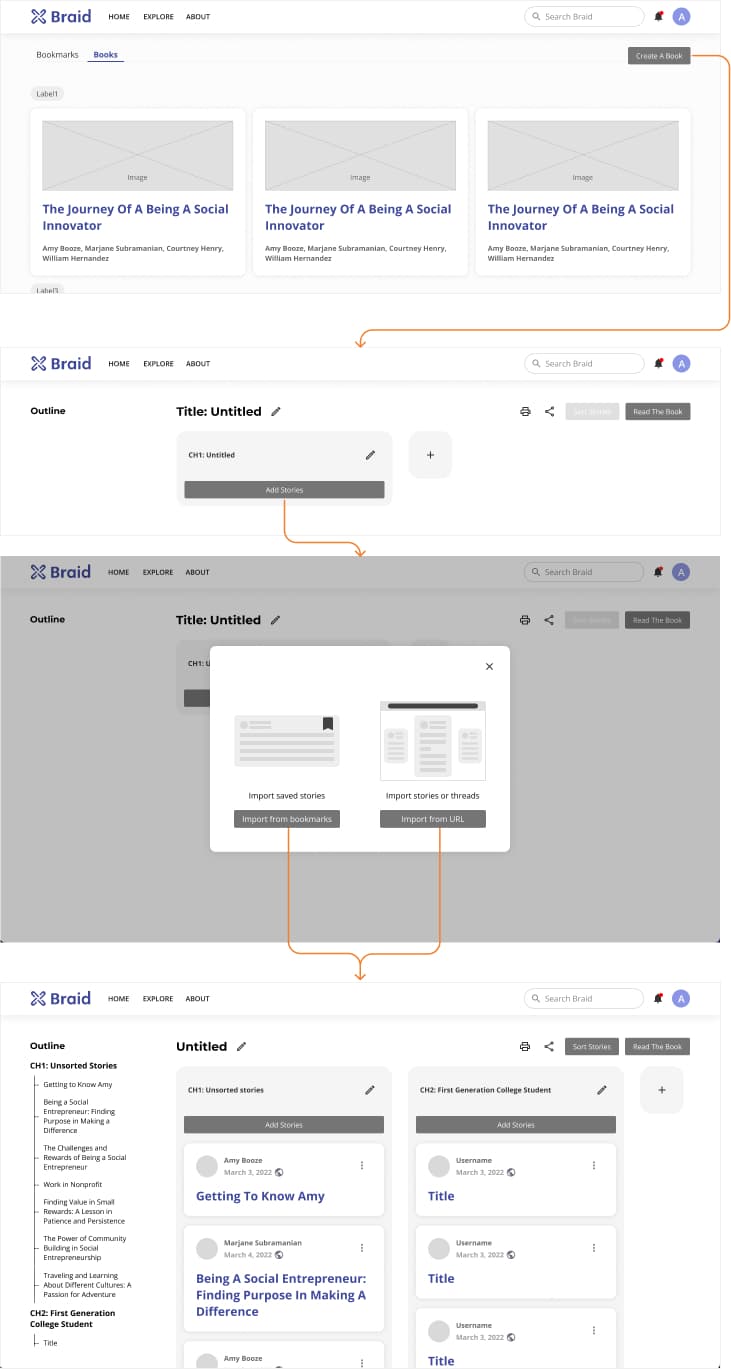
Book Content: From default thread extracts to user-imported material
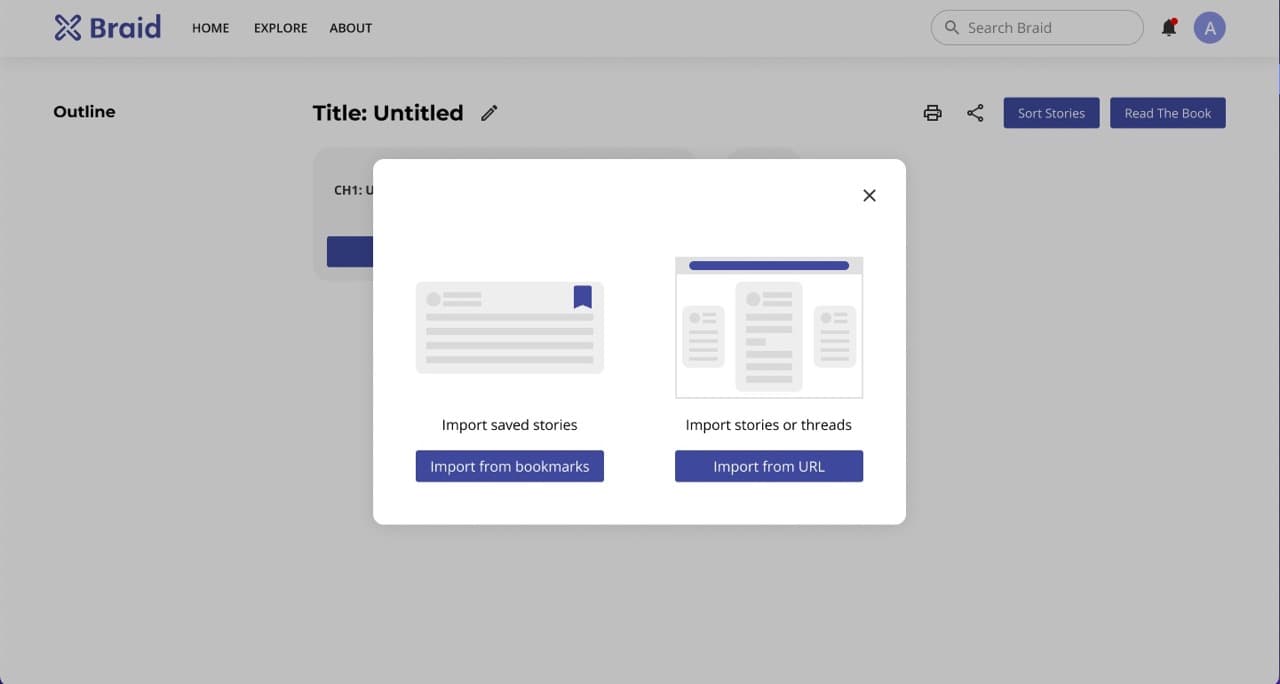
Initially, I conceived book mode as a viewing option to offer an alternative way to read and rearrange a thread. To begin, I set the starting touchpoint at a story page, allowing users to switch views. However, participants did not grasp the concept; they wondered why stories were already present in a book if they hadn't imported any content.
Their perception leaned towards considering a book as a collection of saved stories. Therefore, I've modified the flow and introduced greater flexibility regarding book content material, removing the limitation to a single thread.
⚠️ Before: Start from the Story Page
❌ Didn't understand where were the content from
❌ Didn't understand the default chapter structure
💡 After: Start from the Book Page
✅ Understood where were the content from
✅ Started from scratch but provide sorting feature
Impact
User base grew by 73.2%, expanding from 71 to 125 users.
Content increased by 76.8%, rising from 307 to 543 stories.
Successfully secured grants from New America and the College of Engineering at the University of Michigan.
Learnings
Learned to collaborate with developers, finding the balance between ideal design and implementation feasibility
Within a startup, I wore different hats, broadening my skill set beyond research and design to delve further into development.
Within a UX team of one, I learned to juggle multiple tasks efficiently and work at a fast pace.
Other tasks I tackled includes but not limited to the following- Homepage redesign
- Figma UI library set up and update
- Sign in process design
- Onboarding process design and development
- URL redirection page design
- Explore page design and development
- Notification system design
- Post editor redesign
- Team page development